



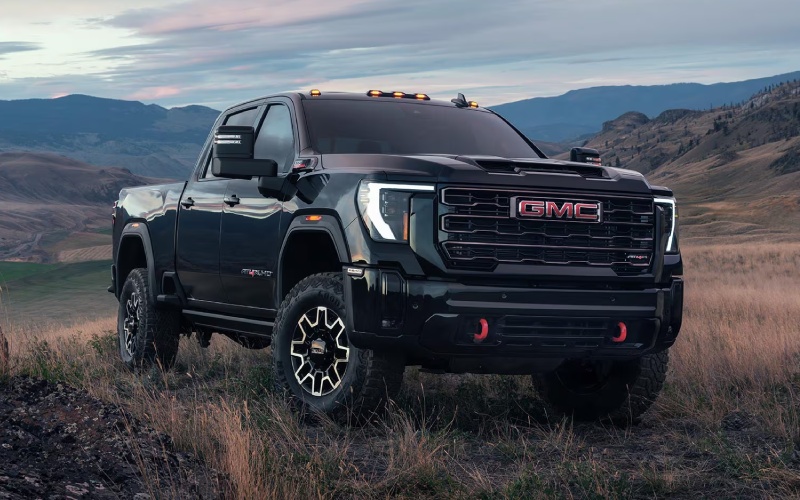
Bob Brockland GMC – Which Trailering Cameras Really Help On The Sierra 2500 HD In Waterloo, IL?
Modern heavy-duty trucks are smarter than ever, and nowhere is that more clear than in the way the GMC Sierra 2500 HD assists with towing. If you spend time hitching in tight yards, merging onto I-255 with a full load, or backing a trailer into a narrow side drive, the Sierra HD’s available camera tech is a difference maker. This guide focuses on how those views work together in the real world, so you can decide which options best fit your routine around Waterloo, IL and the surrounding Metro East.
GMC’s approach blends multiple camera angles with in-cab tools that help you hitch, monitor, and maneuver—making a heavy-duty truck feel approachable even for newer towers. When you combine up to 14 available camera views with HD Surround Vision and the In-Vehicle Trailering App, it’s easier to work precisely, move confidently, and keep stress down even when traffic or jobsite constraints push you to your limits.
Why Camera Tech Matters When You Tow
Trailering confidence hinges on visibility. With a long trailer, blind spots expand and subtle turns feel magnified. That’s why the Sierra HD’s available camera system is built to give you situational awareness at low speeds, in parking lots, and during highway lane changes. HD Surround Vision stitches together views so you can see around the truck and trailer. Transparent Trailer View can provide a virtual look through a properly equipped compatible trailer to help you check what’s directly behind you. And dedicated hitch and bed views help you align quickly, without endless trial and error.
Key Views That Make A Real Difference
- HD Surround Vision: Offers a top-down, composite perspective to help with tight-quarters maneuvering and lining up approaches around curbs, posts, and equipment.
- Transparent Trailer View: With the right setup, can present a virtual view through a properly equipped compatible trailer to monitor what’s directly behind it while you’re moving.
- Hitch guidance views: Aim the camera where it counts, helping you back up accurately and pair the ball and coupler without repeated attempts.
- Bed view: Keep an eye on cargo, auxiliary fuel tanks, or a fifth-wheel hitch plate while you move around town or over jobsite ruts.
- Side and rear-angle views: Useful when executing wider turns, merging with traffic, or checking trailer tires and clearance lines.
These views work best as a system. Once you learn which angles you prefer for specific maneuvers—backing straight, approaching a dock, or navigating a busy fuel island—you’ll settle into a confident rhythm that saves time.
How The In-Vehicle Trailering App Helps
The Sierra HD’s available In-Vehicle Trailering App complements the camera system by keeping trailering tasks organized. You can create trailer profiles, run pre-departure checklists, test lights, and monitor certain trailer-related statuses from the 13.4-inch diagonal center touchscreen. It reduces the mental load—especially if you swap between different trailers during the week.
Setup Tips For First-Time Users
Even advanced tools pay off most when you set them up correctly. A few simple steps before your first tow will help you get more out of the system from day one.
- Create a trailer profile: Enter details for each trailer you tow so the system remembers your preferences and checklists.
- Position cameras carefully: Follow the on-screen guidance for Transparent Trailer View to ensure the system can generate a clear virtual view behind the trailer.
- Practice in a lot: Before a busy morning haul, spend 15 minutes trying each camera angle so you know which views you’ll want during a real backing or hitching scenario.
- Use audio cues: Pair the visuals with sensor alerts where available to help you judge distance while keeping your focus forward.
Once those basics are dialed in, you’ll likely find yourself reaching for a couple of favorite views repeatedly. That comfort translates to smoother, more predictable trailer handling—especially on narrow township roads or crowded lots in and around Waterloo.
Which Trims Offer The Most Trailering Tech?
Great news: Sierra HD makes these tools widely available across the lineup. SLE and SLT add larger screens and expanded tech, while AT4 and AT4X emphasize capability in challenging terrain, including features that keep you composed on uneven approaches. Denali and Denali Ultimate go all-in on premium materials and advanced technology, adding comforts that make long towing days less tiring. Across the range, look for up to 14 available camera views with HD Surround Vision and consider Adaptive Cruise Control with trailering for added highway ease.
Beyond Cameras: Helpful Systems To Consider
To get a fully integrated trailering experience, pair the camera suite with these available tools:
- ProGrade® Trailering System: Adds smart checklists, trailer profiles, diagnostics, and testing tools that simplify pre-trip routines.
- Adaptive Cruise Control with trailering: Helps maintain set following gaps with trailer-aware tuning for smoother highway miles.
- MultiPro™ Tailgate: Eases bed access and load management when you’re moving hitches, chocks, and gear.
These features complement the camera views by reducing awkward starts and stops and keeping you focused on the job rather than the menus.
Frequently Asked Questions:
Do I need a specific trailer for Transparent Trailer View to work?
Transparent Trailer View requires a proper setup and a compatible trailer configuration. Our team can walk you through what’s needed and help you set it up during your delivery appointment.
Is the trailering camera system difficult to learn?
Most drivers are comfortable within a single drive. Spend a few minutes trying each view in a parking lot, and you’ll quickly find your favorites for hitching, reversing, and lane changes.
Which trims include the largest screens for camera views?
SLE and above add the 13.4-inch diagonal center touchscreen, which displays crisp, large-format camera feeds. Higher trims also layer in additional driver information tools to keep you informed with less distraction.
Can I add more capability later if my towing needs grow?
Many accessories and software-enabled features can be configured during purchase or added later. We’ll help you plan for today and tomorrow so your Sierra HD grows with your needs.
If you’re comparing trucks around Waterloo, you’ll appreciate how naturally the Sierra 2500 HD’s available camera tech fits into your day. It’s not just about more screens—it’s about delivering usable sightlines that reduce stress and enhance control. That’s especially valuable when you’re reversing toward a shed, sliding past a mailbox on a narrow lane, or merging onto busy commuter routes with a full trailer in tow.
When you’re ready to try these systems in person, Bob Brockland Buick GMC will set up a tailored test drive and camera demo, serving Dupo, Waterloo, and Millstadt. We’ll walk you through the setup, explain how the views interact with the ProGrade® Trailering System, and help you determine the right trim and options for your work, your driveway, and your daily routes. Bring your questions—and your to-do list—and we’ll make sure the technology works exactly the way you expect.
Request more 2026 GMC Sierra 2500 HD information
Connect with us


